

➡️This video shows you how to setup the perfect workout type for tracking; not only “Hyrox”, but also CF and Unbroken Performance Training: AMRAP, EMOM, CHIPPER, RFT...
Now you can see Total Time elapsed, the current Lap Time (Workout Set) and your Heart Gauge all at once! 😍


» NOTE! This is for workouts that does NOT include Running and GPS tracking!
If there is running in your workout, use the Run workout and press lap button the same way to track GPS map data, Run data (Splits, Avg Pace etc.), resting and other movements. You can setup a data-screen similar to this here as well, or scroll between two top screens to see lap time vs total time. Which you don’t have default on the Cardio workout (Calories instead of Lap Time).
EXAMPLE: Sprint workout = 16 x 200m for every 1:30 »
For first 200m sprint I press start, then as soon as I come back I hit lap button and now recording rest. Then at 1:30, I hit lap button again and off I go tracking the next sprint…
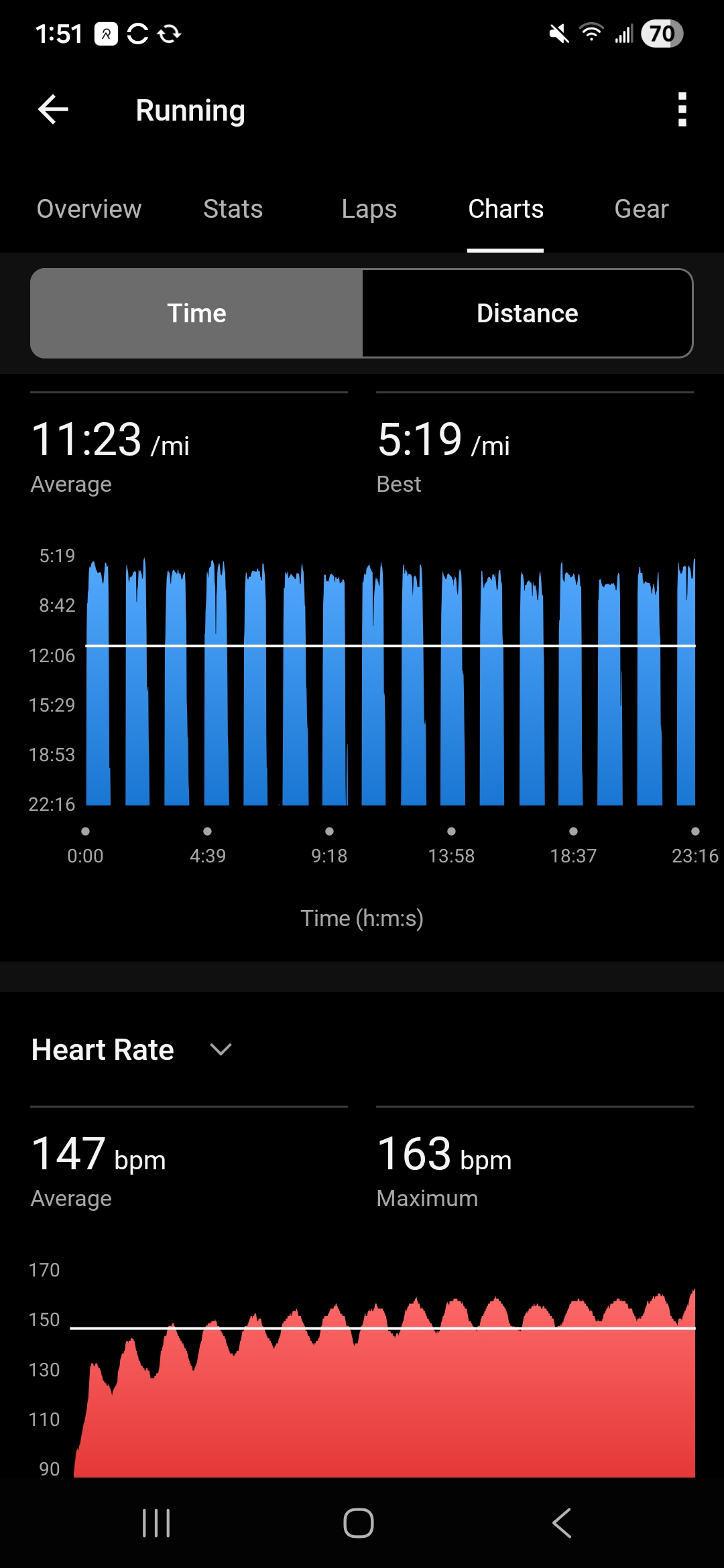
➡️ UPDATE: THIS IS HOW I TRACK RUNNING ON MY VENU X1 WATCH
» VIDEO BY:


